
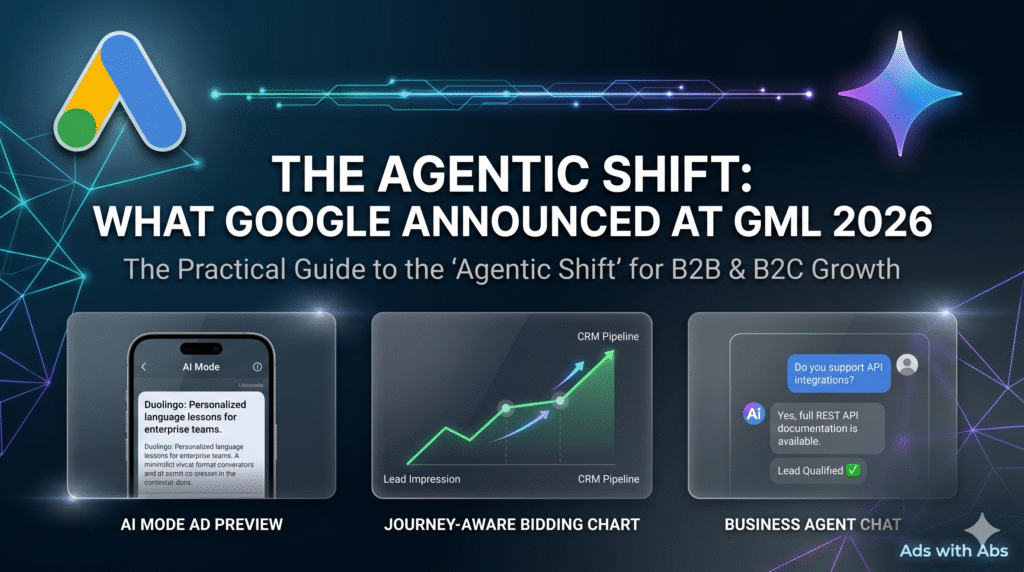
Let’s be honest for a second. 2025 was the year Google officially forced AI into our daily advertising lives. We watched AI Max roll out, and Google loved parading massive success metrics from Fortune 500 companies. But if you’re anything like me, running real campaigns in the trenches, you know it’s still highly unpredictable and a total black box at times.
Well, ready or not, Google just took the AI engine a massive notch higher at Google Marketing Live 2026.
We aren’t just going to re-share the same polished PR statements that every lazy marketer on LinkedIn is parroting right now. We are going to break down the actual mechanics of these updates, what they mean for your daily workflow, how to use them with real examples, and exactly where to find them in your dashboard. These aren’t in order of importance – they are simply the fundamental shifts you must adapt to right now to survive.
1. Business Agent for Leads
Google is attempting to cut down on user friction by making ad units natively conversational. Traditionally, a prospect clicks an ad, lands on an external page, and they either convert or bounce—often leaving you with a costly click and a zero-conversion day.
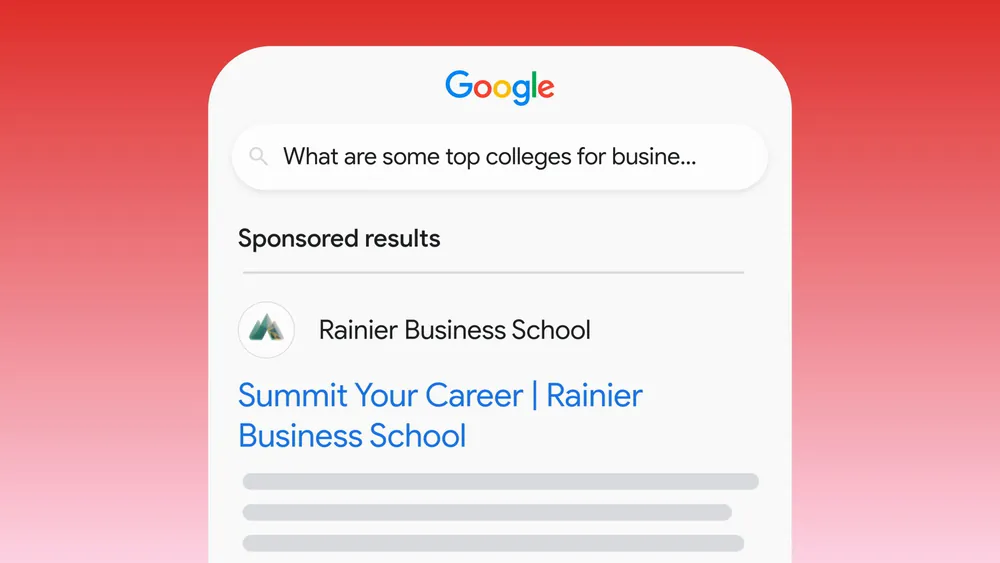
Google is stepping in with an autonomous, mini-Gemini instance built directly inside the ad asset. Instead of sending users immediately to a landing page, the ad opens an interactive chat on the SERP to answer questions and qualify leads before a user ever hits your site budget.
[User clicks ad in AI Mode] ➔ [Converses with Natively Embedded Business Agent] ➔ [Auto-Populated Form Submits to CRM]- Primary Focus: B2B Lead Generation.
- B2B Use Case: A procurement officer searches for “enterprise logistics SaaS provider with custom API integrations.” Instead of clicking through to a bloated homepage, they click the ad and chat with the native Business Agent right on the SERP. They ask: “Do you support real-time fleet tracking via REST API?” The agent instantly parses your uploaded documentation, responds “Yes, with under 50ms latency,” qualifies the lead’s budget tier, and passes the verified prospect data directly to your sales pipeline.
- Release Date: Currently running in closed global betas; wider international account roll-out expected across late Q3 and Q4 2026.
- Where to Find It: Navigate to Campaigns ➔ Assets ➔ Click the “+” icon ➔ Look for the new “AI Business Agent” type under the Lead Form extensions menu.
2. Ads in AI Mode (Direct Offers, Conversational Discovery, & Highlighted Answers)
Last year, Google claimed they wouldn’t aggressively monetize the conversational AI interface, but it was inevitable. With competitors testing ad placements directly within chat results, Google had to make a move—and frankly, they made the right move at the perfect time.

These look completely different from standard search ads. In the official event showcases, ads like Duolingo ran with zero headlines—just a clean, contextual, reasoning-based description seamlessly woven into Gemini’s conversational text answers.
- Primary Focus: Hybrid (Both B2B and B2C).
- General Use Case: A user enters Google’s AI Mode and prompts: “I need to learn conversational Italian for an upcoming business relocation next month.” Instead of showing a generic banner, Gemini dynamically reasons that Duolingo’s platform matches this hyper-specific intent. It pulls data from your site, drafts custom ad copy on the fly, and generates a Highlighted Answer block directly within the generated chat response to move the user instantly from discovery to a decision.
- Release Date: Prepare yourself, because marketers and content strategists are going to be completely buried in optimization work between August and October this year.
- Where to Find It: This will be handled automatically via AI Max and Performance Max campaigns. To prepare, monitor your Campaign Settings to ensure your network distribution options include “Google AI Mode Network Extensions” as they go live.
3. The “AI Brief”
To prevent your automated campaigns from going completely rogue with your brand messaging, Google launched the AI Brief. This is a brand-new foundational step during campaign creation within AI Max and P-Max. Instead of letting the AI guess your brand guidelines, you give the machine explicit, plain-language operational constraints, voice parameters, target audience definitions, and stylistic boundaries.

- Primary Focus: Hybrid (Both B2B and B2C).
- General Use Case: A premium B2B consulting firm wants to scale lead volume using AI Max but cannot risk the AI generating cheap, over-promising ad copy variations. In the AI Brief, the marketer inputs: “We solve high-end corporate compliance issues. Our tone is strictly authoritative, highly analytical, and must never use discount-centric language or emojis.” The AI Max engine honors these exact boundaries across all dynamic text and asset variations.
- Release Date: Rolling out globally over the summer months of 2026.
- Where to Find It: Open any AI Max / P-Max Campaign ➔ Navigate to Settings ➔ Locate the collapsible dropdown menu titled “AI Brief & Core Brand Directives.”
4. Next-Gen AI-Powered Shopping Ads
The remainder of 2026 is going to see brutal competition regarding ad placements, and average CPCs and CPAs will likely experience a temporary spike as brands fight for real estate. When a shopper inputs a specific query, Google will no longer just throw up a basic row of static product pictures. It will parse your website data, inventory sheets, and customer reviews to dynamically suggest and reason why your product fits.

- Primary Focus: B2C (E-commerce and Retail).
- B2C Use Case: A runner queries Gemini: “Find me a waterless, smart home fragrance diffuser that lets me schedule scents from an app.” Google’s system scrapes your backend merchant data, reads the literal feature text printed directly on your product imagery (be careful, the AI is reading text on your visuals now!), matches it to a glowing customer review, and highlights your product as the definitive solution.
- Release Date: Reaching retail-centric accounts now, ramping up heavily ahead of the Q4 holiday shopping season.
- Where to Find It: This relies heavily on your underlying data architecture. CMOs and content strategists need to audit their landing pages and Google Merchant Center immediately. Ensure your product specs are formatted in clean data tables that conversational AI models can easily ingest.
5. RCS Message Ads for Business (Click-to-Message Upgrade)
Let’s clear up a major misconception right away: Google is not turning Google Ads into an outbound text-blasting or SMS spam platform. You cannot create standalone SMS blast campaigns here.
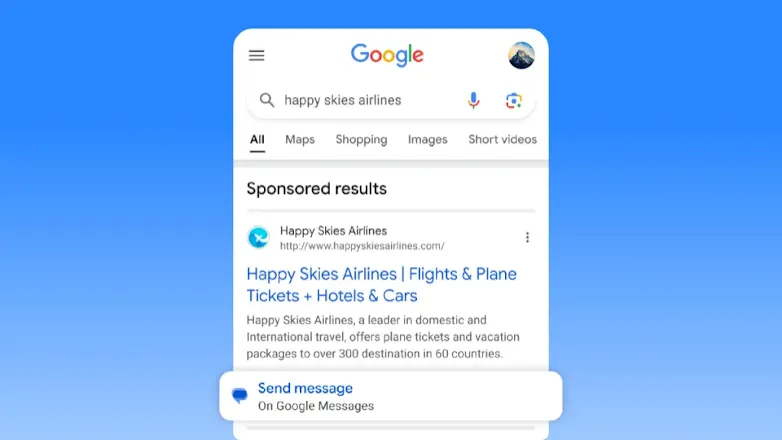
Instead, this is a massive upgrade to the native Click-to-Message asset extension. When you are building your ad copy, if you scroll down to the bottom of the exact same creation page, you will see the messaging configuration options. The entire purpose of this feature is to allow high-intent customers to instantly initiate a secure, interactive text conversation with your business if they want to know more about your product or service without waiting for an email response. Google has also looped in Meta ecosystems, meaning customers can choose to launch the conversation via SMS, verified RCS, Facebook Chat, or WhatsApp.
- Primary Focus: Hybrid (Extremely effective for direct customer support in B2C, and quick pricing triage in B2B).
- General Use Case: A user sees your search ad for an immediate service (like “emergency commercial roof repair” or a quick consumer product offer). Instead of clicking through to a slow landing page, they scroll down the ad, tap the message icon, and instantly initiate a text chat with your team to ask: “Do you have someone available for an inspection in my zip code today?” You engage them right in their native messaging inbox via a verified, trusted brand profile.
- Release Date: Rolling out across international accounts in phases throughout mid-to-late 2026.
- Where to Find It: When building or editing your ad copy, scroll to the bottom of the ad creation screen to find the Extensions / Assets section, and select “Messages.”
6. Journey-Aware Bidding
This is an absolutely massive rollout for anyone running complex, multi-stage sales funnels. If you have already taken the time to link your CRM with Google Ads via the Data Manager, Journey-Aware Bidding allows you to move beyond basic conversion tracking. Right now, you don’t need to drastically change your setup beyond utilizing Target CPA (tCPA) as your core bidding strategy.
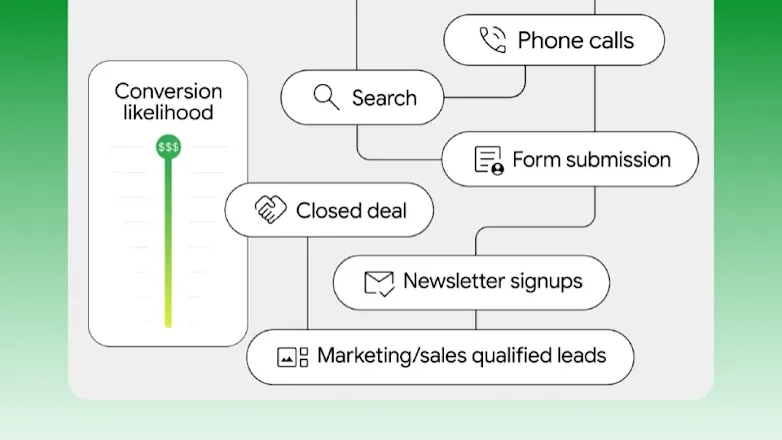
Instead of treating every form-fill equally, the machine looks deep into your pipeline data. If a user fills out a form but sits indefinitely in an “Attempting to Contact” phase without becoming a true Marketing Qualified Lead (MQL), Google recognizes that lower value and adjusts its bidding aggressiveness dynamically.
[Raw Lead Capture] ➔ [AI Evaluates CRM Velocity] ➔ [Aggressive Bidding Spikes Only for Valid MQL/SQL Matches]- Primary Focus: Primarily B2B (And high-ticket lead generation).
- B2B Use Case: An enterprise software provider connects their sales pipeline data back into Google Ads. Once your Sales Qualified Lead (SQL) data is actively syncing, the algorithm realizes the immense value of those specific profiles. To maximize actual pipeline revenue rather than just raw volume, Google will bid aggressively to get you directly in front of identical, high-intent prospects whose behavioral signals align with long-term sales velocity.
- Release Date: Available now for accounts with first-party CRM data loops active via Google Ads Data Manager.
- Where to Find It: Navigate to Tools ➔ Measurement ➔ Conversions. Edit your core conversion settings and toggle on “Pipeline Journey-Aware Optimization” under your campaign target settings.
7. Multimodal Video Creation in Asset Studio (Veo & Nano Banana)
If you’ve tried building video assets directly inside the Google Ads platform since the start of this year, you already know how painful it can be. Let’s be real—nobody in the corporate space needs more cheesy, dancing text animations that look like they were slapped together in an Excel spreadsheet. We need actual substance.
Google clearly noticed our frustration. Asset Studio’s video creator has been completely overhauled, powered by Google’s elite video generation infrastructure including Veo and Nano Banana.
- Primary Focus: Hybrid (Crucial for B2C visual commerce and rapid B2B creative variation testing).
- General Use Case: Instead of paying a production agency thousands of dollars for a basic explainer or product showcase video, you upload a single core creative asset or marketing brief. The system generates highly polished, realistic video sequences complete with natural human faces, smooth cinematic panning, and high-production value demonstrations that fit natively across YouTube Shorts, Demand Gen, and Discover placements.
- Release Date: Phased beta rolling out to international global accounts through mid-to-late 2026.
- Where to Find It: Head over to your Shared Library ➔ Asset Library ➔ Click the “+” icon ➔ Select “Create Video via Multimodal AI Studio.”
The Verdict: Moving Beyond the Hype
The clear takeaway from GML 2026 is that Google is officially handing the steering wheel over to autonomous agents. The days of winning by simply hacking keyword match types or writing clever headlines are drawing to a close. Success in this new ecosystem requires clean data architectures, hyper-optimized landing pages, and a crystal-clear brand narrative inside your AI Briefs.
The machine is getting smarter, which means our strategy has to get sharper.
I’m incredibly curious to see how these rollouts impact your active accounts over the coming months. Are you planning to dive straight into Journey-Aware Bidding, or are you going to test the waters with the new Business Agents first? Drop your comments below, tell me how these features are performing in your dashboard, and let’s figure out this next era of search marketing together!